Try it in your browser
Check the agent payment against its owner's mandate with the real x3lang compiler, then swap the recipient and watch the mandate refuse it. Explorer and Inspector read live NEAR testnet. Nothing here signs or sends anything.
Press Check to run the real x3lang compiler and the owner's mandate on this program. Then try editing an amount or the receiver.
Inside the full IDE
Screenshots from the IDE's own end-to-end browser test. The chain data comes from its signature-checking test node.
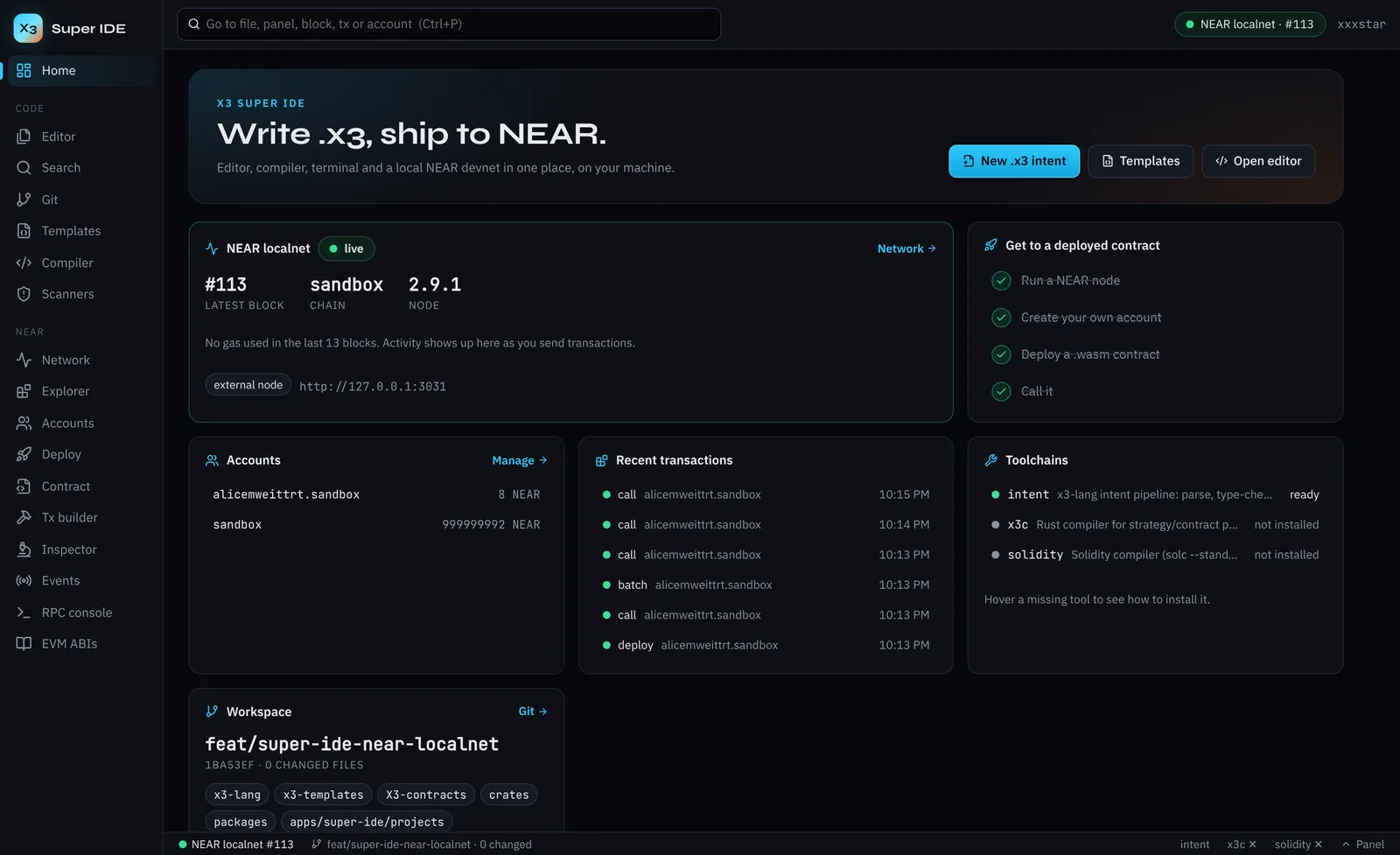
What it does
Code
- ▸Monaco editor with .x3 highlighting, snippets and Ctrl+P to any file, block, tx or account
- ▸Check through the x3-lang intent pipeline, x3c (check, simulate, estimate) and solc
- ▸Real terminal, git (diff, stage, commit), search, templates
- ▸Fake-code and secret scanners with masked matches
NEAR
- ▸One-click local devnet (near-sandbox) with a funded genesis account
- ▸Accounts, deploys with init calls, view and change calls, events
- ▸Transaction builder with a Borsh preview; encoding matches near-api-js byte for byte
- ▸Explorer, account inspector (keys, storage, code) and a JSON-RPC console
Safety
- ▸Runs on your machine and binds to localhost only, with Host and Origin checks
- ▸A per-start session token on every call; keys stored 0600, never sent to the browser
- ▸Remote use goes through Cloudflare Access, and the IDE verifies the Access token itself
- ▸Missing tools and offline nodes are reported as such, never faked
Run the full IDE
The full IDE can run a shell and sign transactions, so it never runs as a public page. Use it on your own machine; an owner-only remote version is being set up.
On your machine
For X3 contributors with the monorepo. Open the URL the backend prints, then Network → Start localnet.
Terminal
cd xxxstar/apps/super-ide
npm install
python3 -m venv .venv && . .venv/bin/activate
npm run backend:install
npm run build
npm run backend          # prints http://127.0.0.1:8765/?token=…
ide.dotx3.net
Not open yet. The same IDE, running on the X3 server and published through a Cloudflare Tunnel. Cloudflare Access asks you to sign in first, and only approved emails get through. The IDE then checks the Access token itself on every request.
- ▸ Owner and invited builders only
- ▸ Terminal is off for remote sessions unless the owner turns it on